Trigger design
A single, reliable webhook trigger that starts the whole pipeline the moment a sale completes.
Every sale used to mean someone manually copying a customer's details into HubSpot, logging the transaction in a spreadsheet, and remembering to send a confirmation. I replaced that with an 11-step Zapier pipeline that captures the sale, cleans the data, syncs the CRM, logs the transaction and notifies the team, all within seconds of the payment going through.



The project was built around a simple operational problem: every new sale required information to be captured, cleaned, added to the CRM, logged for reporting, and communicated to both the customer and internal team. The goal was to replace that fragmented process with one connected workflow.
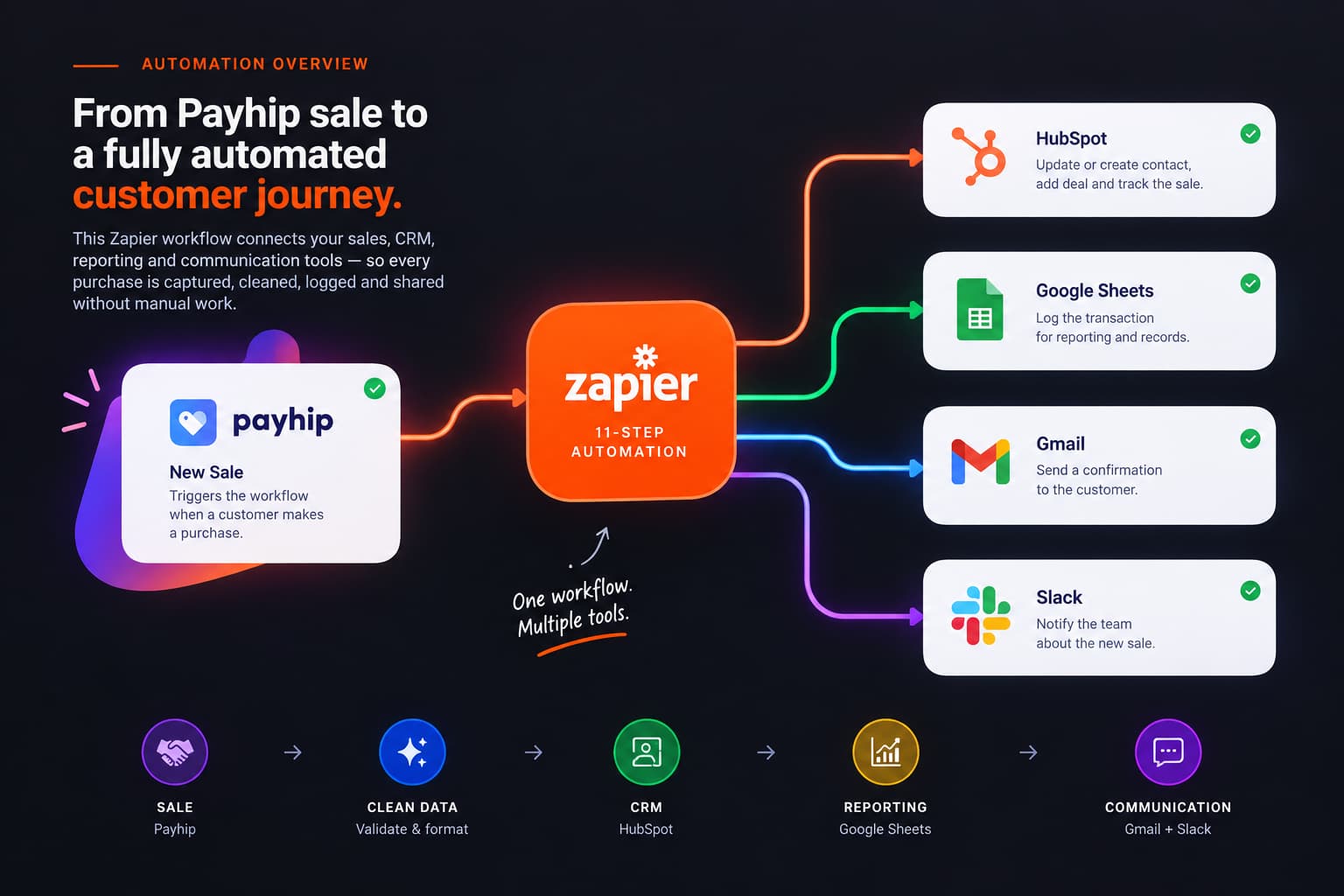
When a customer completes a purchase through Payhip, the workflow captures the transaction, validates and formats the data, checks for an existing CRM contact, updates HubSpot, logs the sale, sends the customer a confirmation, and alerts the team in Slack.
The result is a connected pipeline that moves a transaction from sale → clean data → CRM → reporting → communication without requiring someone to manually move information between platforms.
The pipeline starts the moment a sale happens on Payhip. From there, every field that came in raw gets checked, cleaned or reformatted before it's allowed anywhere near HubSpot.
Tool: Payhip + Zapier. An instant webhook fires the moment a sale is initiated, capturing the customer's name, email, product, price and date. This is the single starting point for all eleven steps that follow.
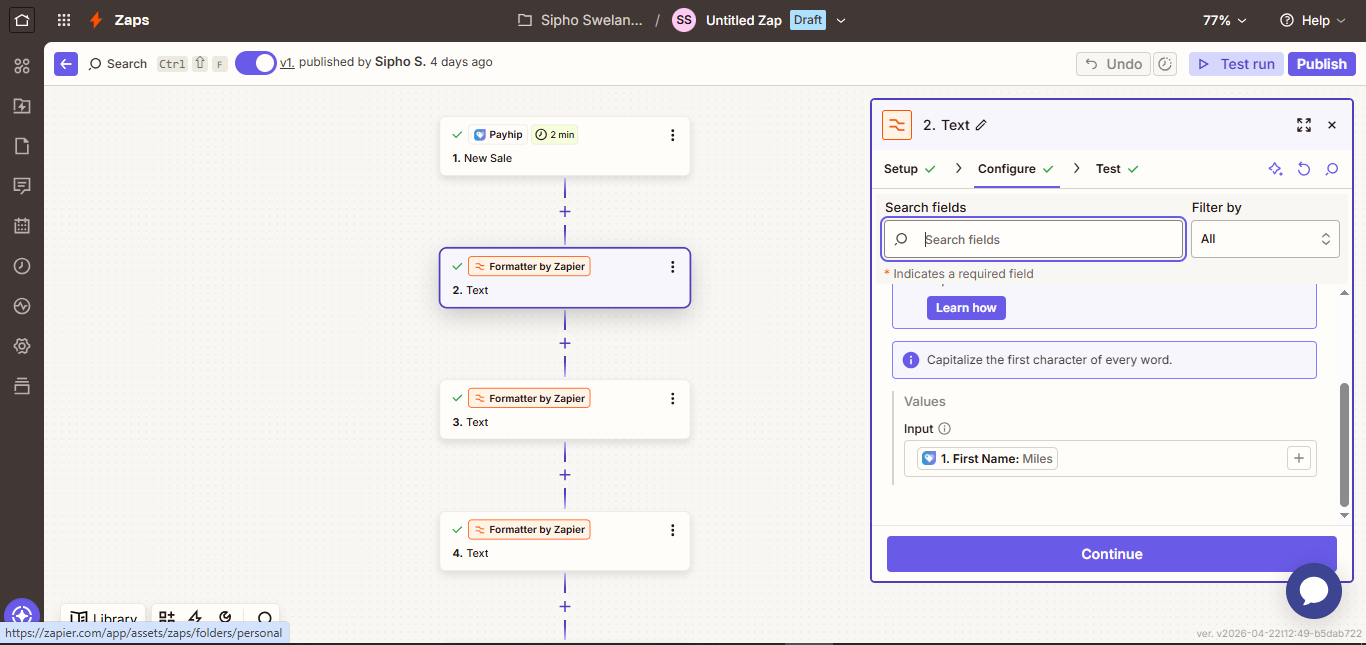
Tool: Zapier Formatter (Text). Whatever case the customer typed their name in gets converted to proper case, so "john" becomes "John" everywhere it's later used, in HubSpot, in the sheet, in the confirmation email.
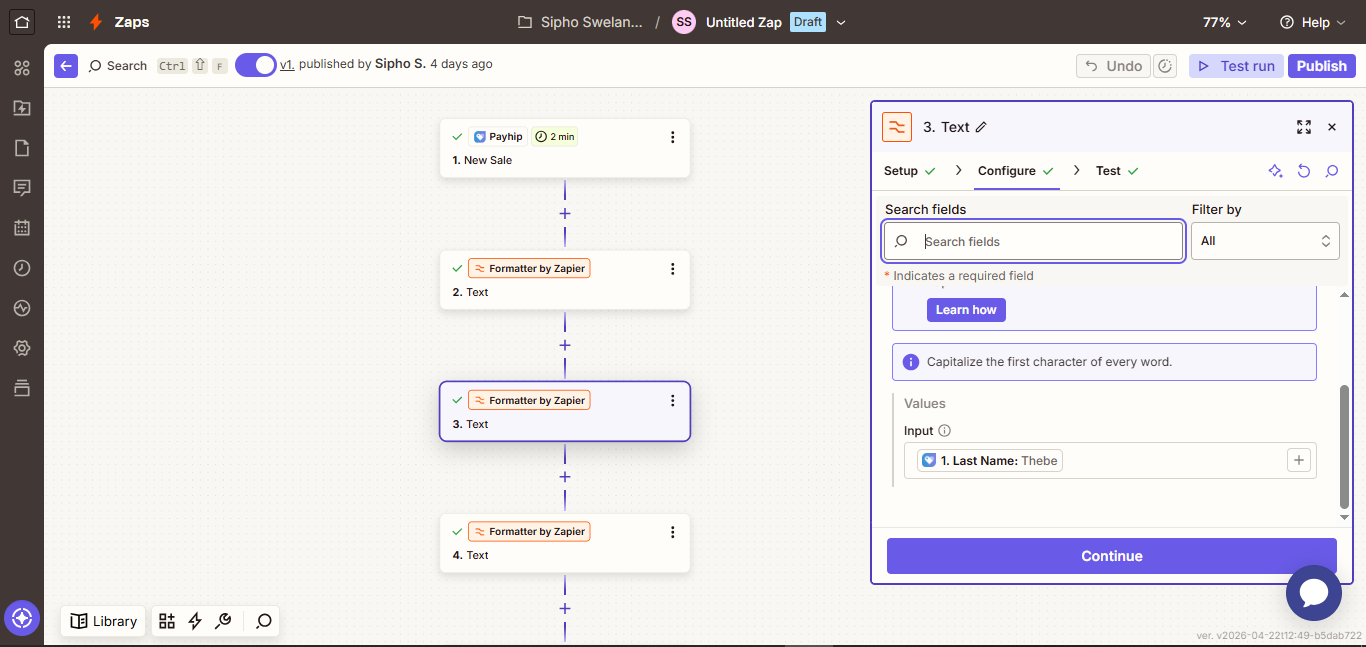
Tool: Zapier Formatter. The same capitalization fix runs on the last name, keeping it consistent across HubSpot records and email templates rather than relying on however the customer happened to type it.
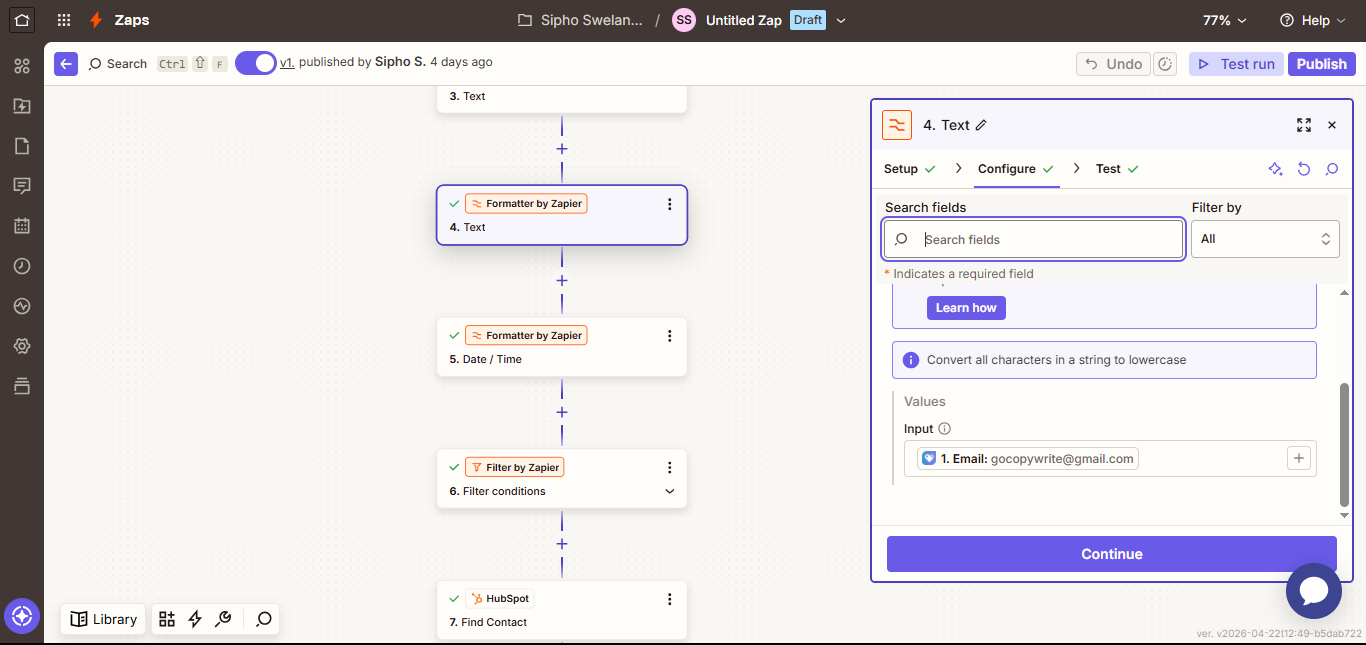
Tool: Zapier Formatter (Lowercase). The email address is converted to lowercase before it's used as an identifier, so "[email protected]" and "[email protected]" are treated as the same person instead of creating two records.
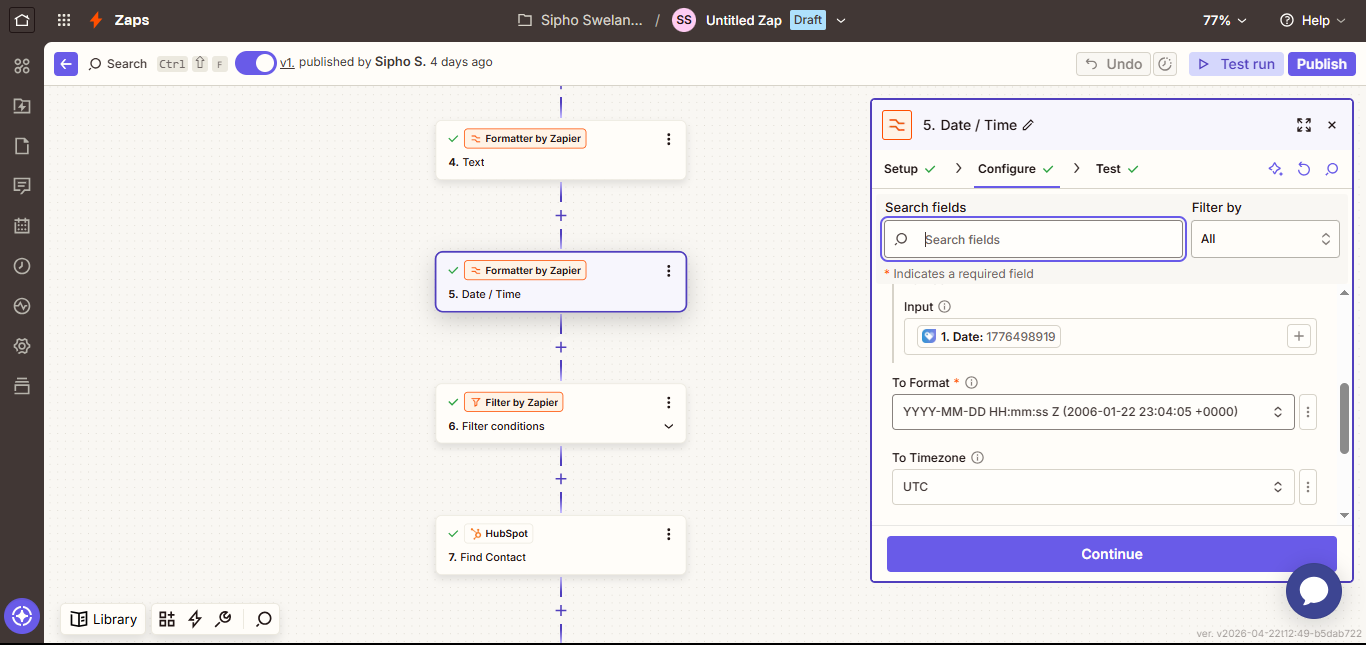
Tool: Zapier Date/Time Formatter. Payhip's own timestamp is converted into one unified format (YYYY-MM-DD HH:MM:SS), so every date lines up correctly later when it's sorted or reported on in Sheets.
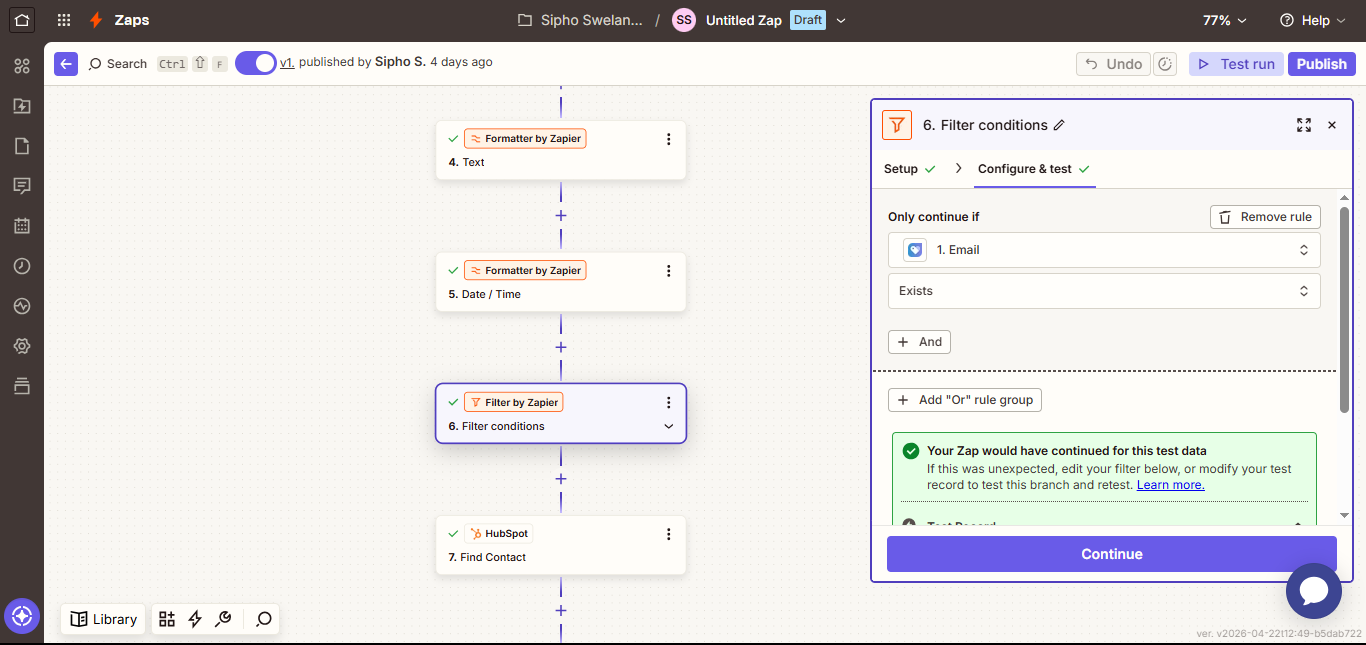
Tool: Zapier Filter. The record only continues if the email actually contains an "@" and a valid domain. Anything malformed is stopped here, before it can ever reach the CRM.
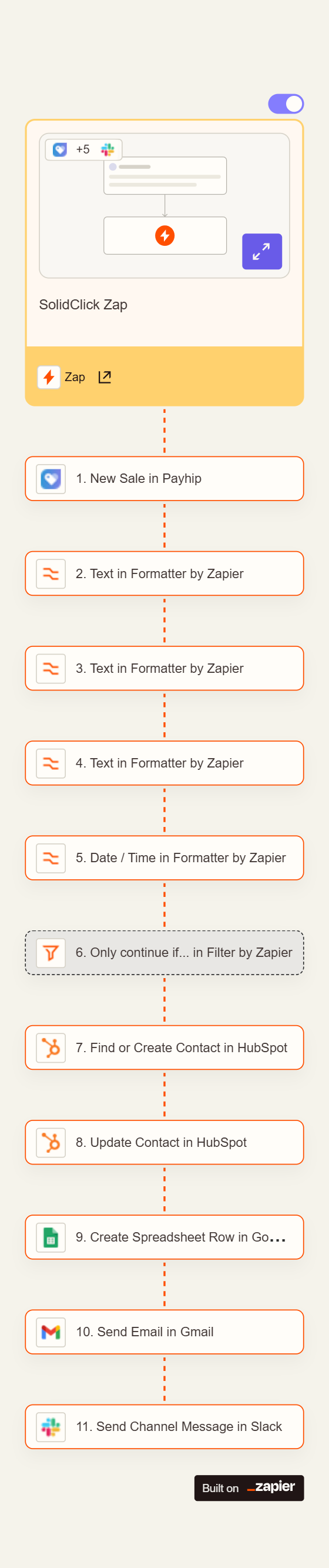
This is the Zap itself, the full sequence of steps chained together in Zapier's editor, from the Payhip trigger at the top down to the Slack alert at the bottom. Everything described on this page is one continuous automation, not eleven separate tools stitched together by hand.
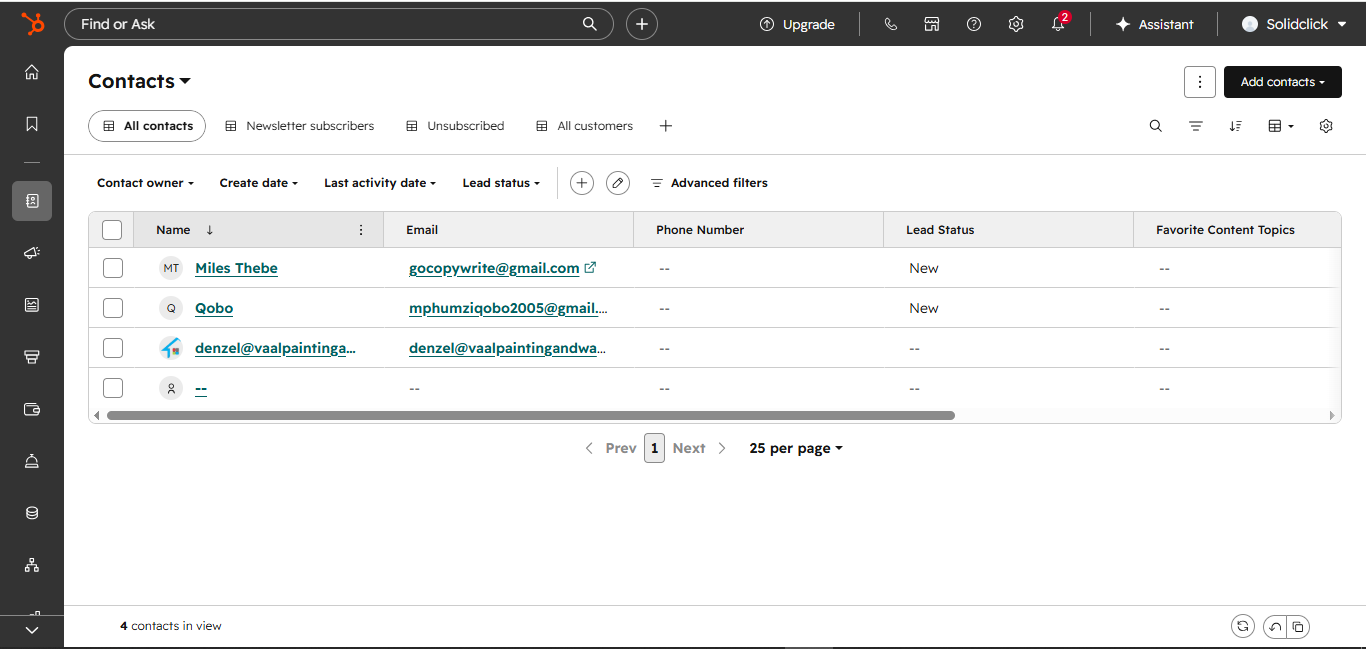
Once the data is clean, HubSpot needs to know whether this customer already exists. That order, search first, only create if nothing is found, is what keeps the CRM from quietly filling up with duplicate versions of the same person as volume grows.
Tool: HubSpot (Search + Create). The pipeline searches HubSpot for an existing contact by email. If one is found, it's reused. If not, a new contact profile is created from scratch.
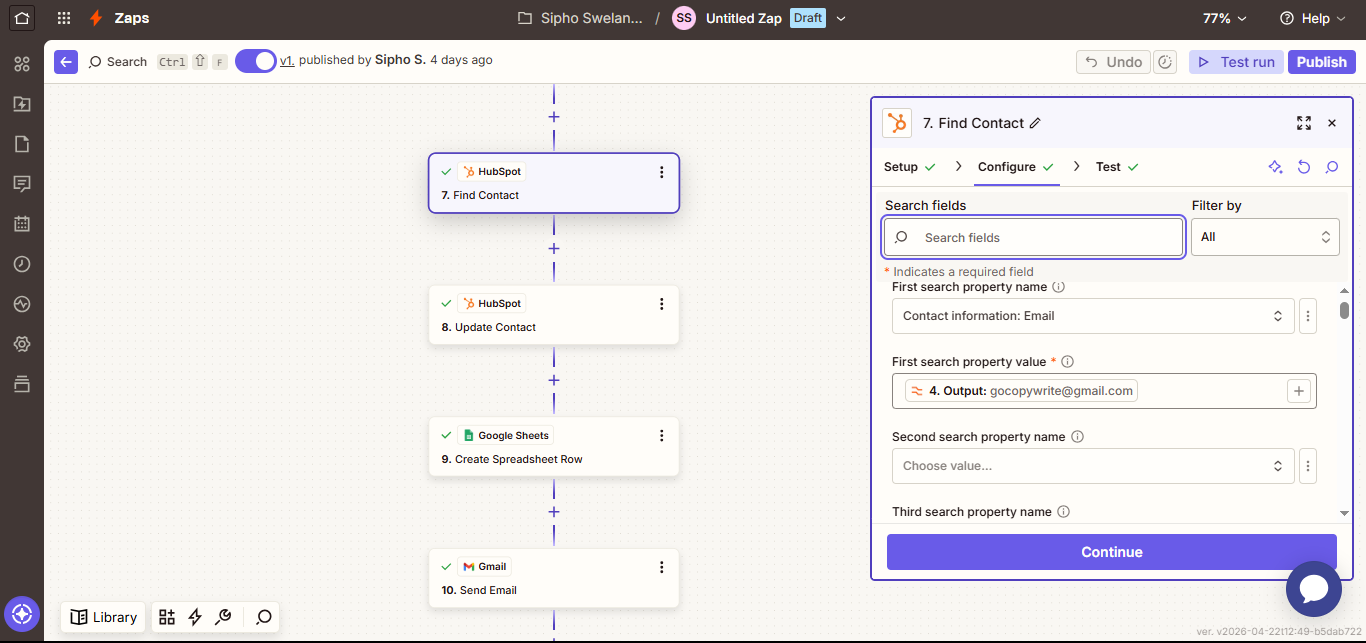
Tool: HubSpot Update Contact. The contact record, whether it's new or existing, is enriched with the purchase details (product, amount, date) and its lifecycle stage is updated, so the CRM shows a real purchase history rather than just a name and an email.
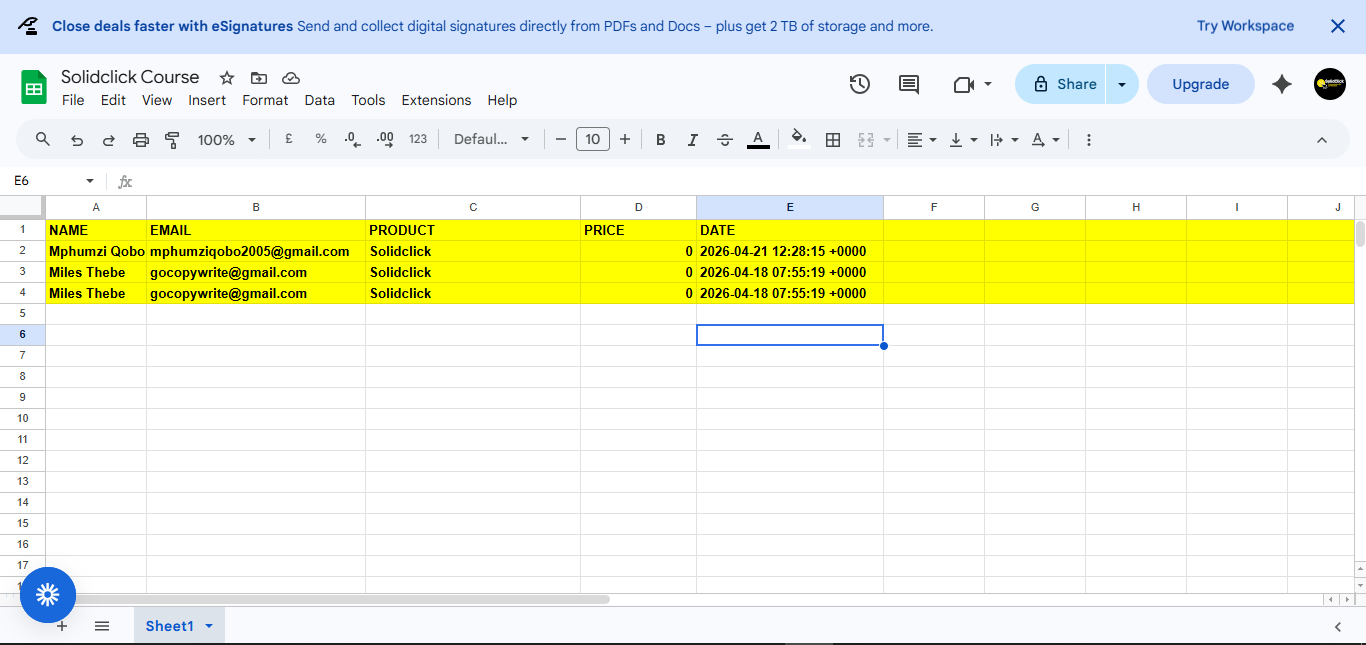
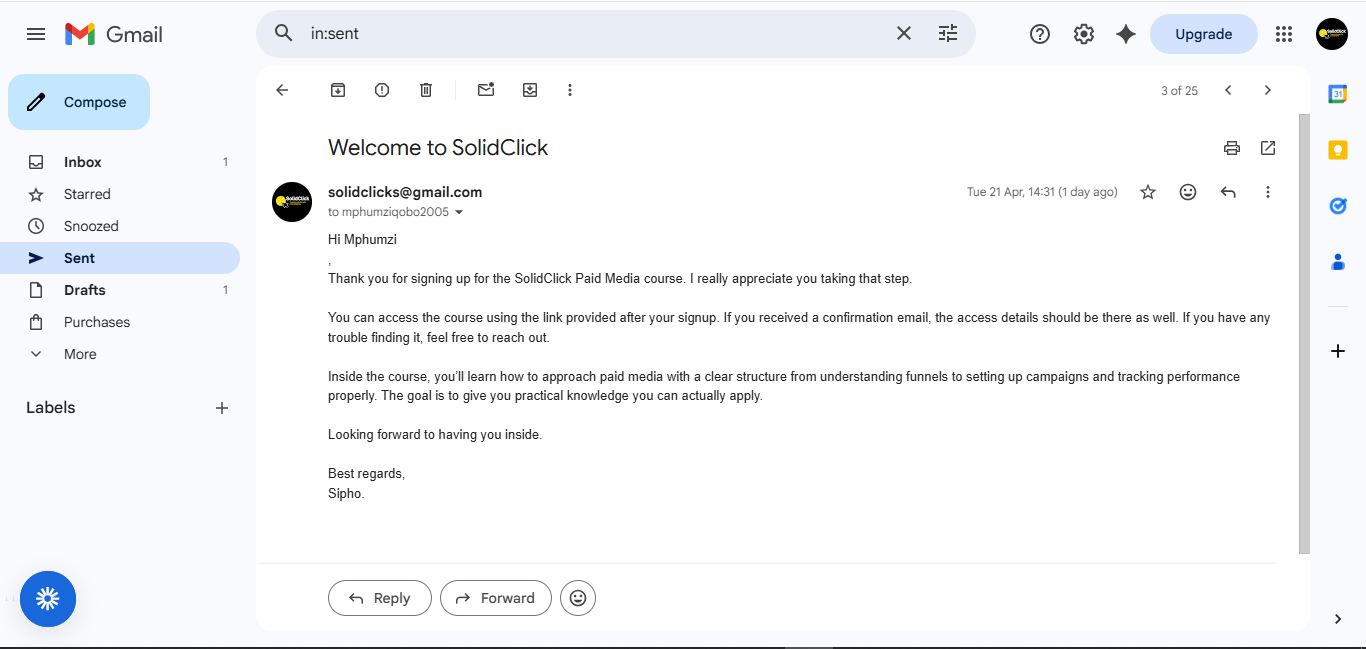
The last three steps run in sequence: the transaction gets a permanent record, the customer gets confirmation, and the team gets visibility, all without anyone opening a dashboard.
Tool: Google Sheets (Append Row). The full transaction, name, email, product, price and formatted date, is logged as a new row in a centralized master sheet, giving one exportable source for reporting and reconciliation.
Tool: Gmail by Zapier. A personalized order confirmation email goes out to the customer automatically, including the product resources and next steps, no manual sending required.
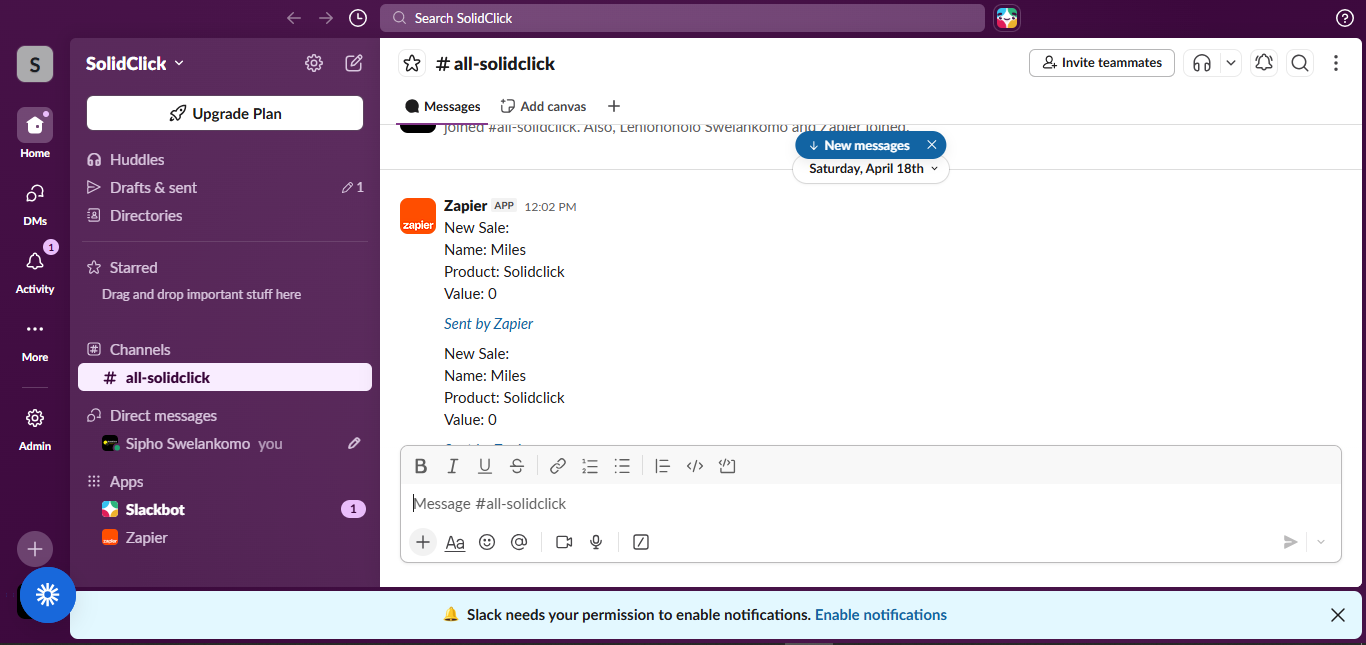
Tool: Slack (Channel Message). The team channel receives an order summary in real time, so operations can see and follow up on the sale without checking a dashboard or waiting for someone to mention it.
The value isn't connecting two apps together. It's the decisions in between: what counts as valid data, how duplicates get prevented, and what the team actually needs to see.
A single, reliable webhook trigger that starts the whole pipeline the moment a sale completes.
Four formatting steps and a filter gate that stop inconsistent or invalid data from ever reaching the CRM.
A find-before-create pattern that keeps HubSpot's contact database clean as volume grows.
Every transaction appended to a single sheet, giving one reliable source for reporting.
Customer and team notified in parallel, so no sale goes unconfirmed or unnoticed.
This pipeline turns a sale into a fully processed, logged and communicated event without anyone touching a keyboard, freeing up hours that used to go into copy-paste work. If your business is still doing this by hand, that's a workflow I can build.